Stop burning credits on broken AI video.
Every black frame, frozen shot and off-model keyframe is money you already paid for. SmartTokenGuard checks each render the moment it lands and tells you whether it's worth paying for the next step, before the credits are gone.
How much are broken renders costing you?
Plug in your own numbers.
$300 a year.
Catch a bad keyframe and you skip paying for the clip built on top of it. At your price, Starter pays for itself after 18 skipped renders a month.
See what a check catches
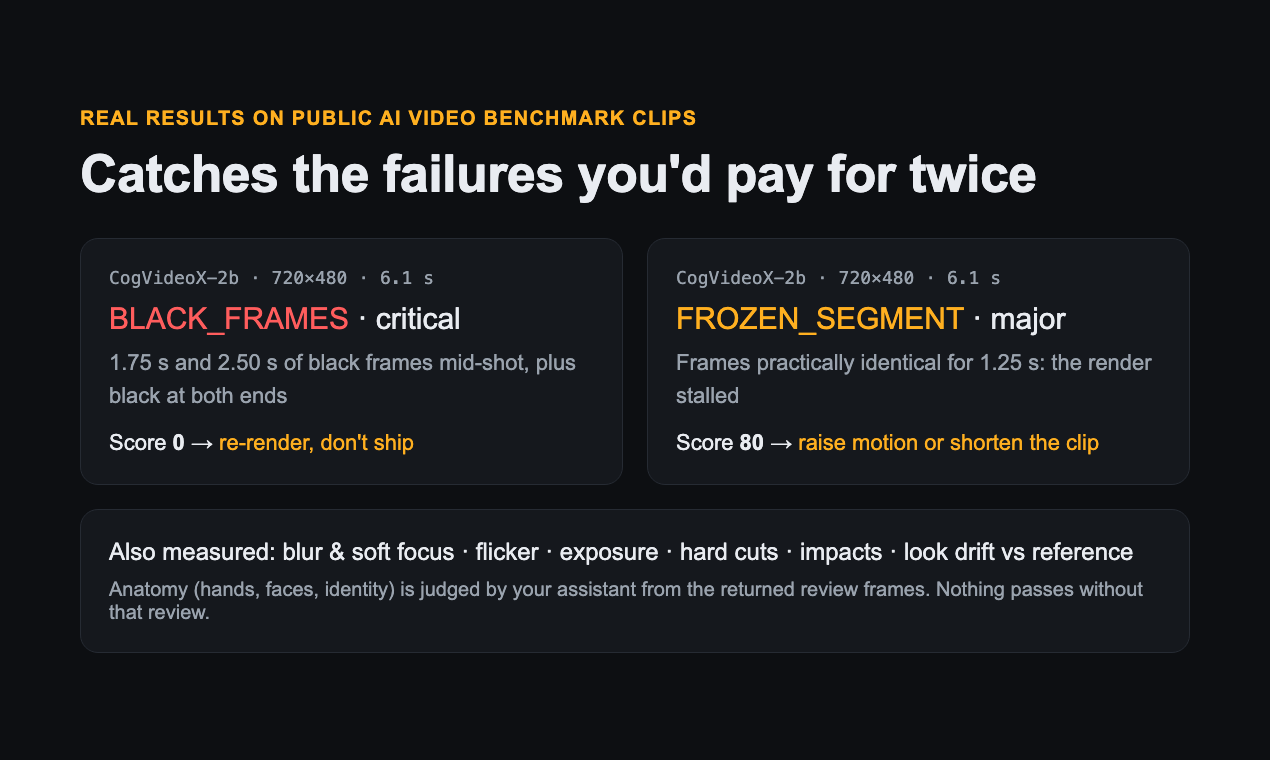
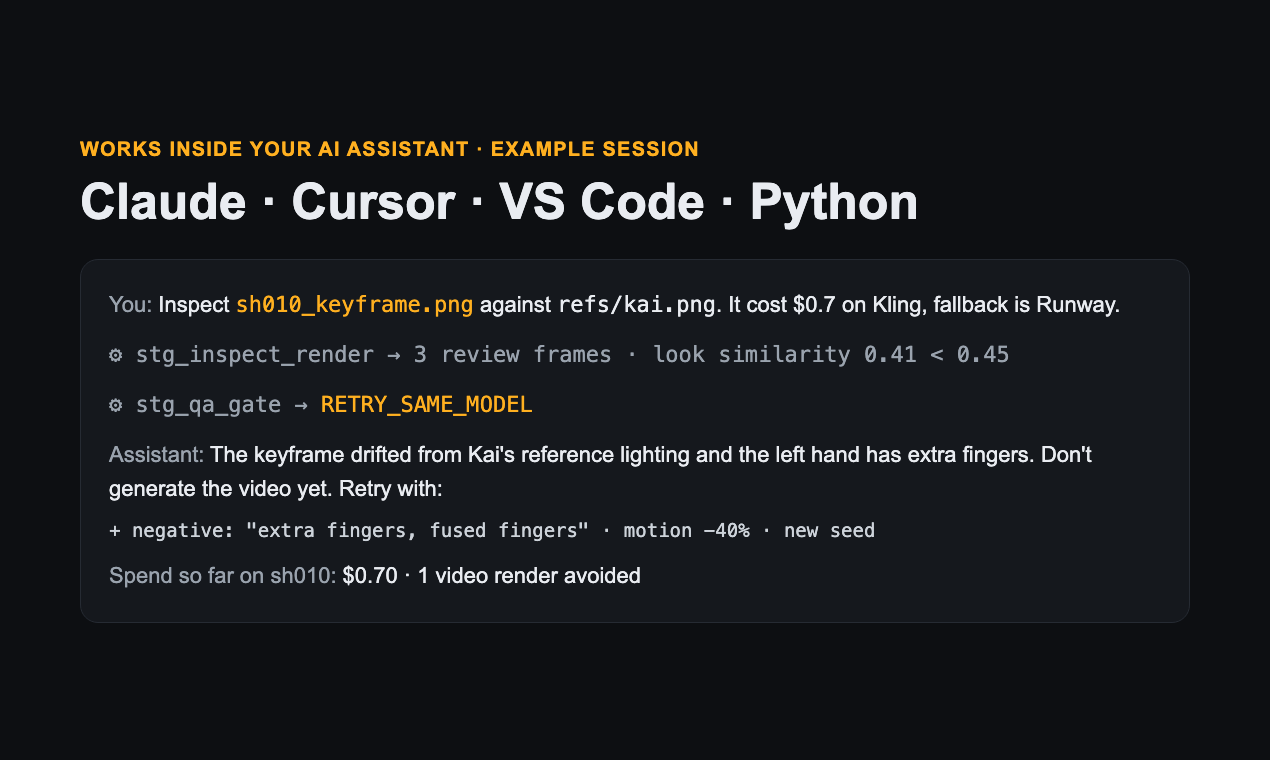
Real results on public AI video benchmark clips, and how a verdict looks inside your assistant.
Where the money leaks
The expensive part is rarely the first render. It's everything you build on a broken one.
You pay for image-to-video on a still that was already soft, blown out or off-model. The whole clip is wasted before it starts.
Same prompt, new seed, fingers crossed. Without knowing what broke, every retry costs the same and fails the same way.
Black frames or a frozen second show up in the edit, after you've already paid for sound, upscale and the next shots.
Check first. Pay second.
A quick check between every render and the next paid step.
Retries come with the exact negative-prompt terms, a lower motion setting and a new seed, so the next attempt is aimed.
Catches what costs you
Black frames & freezes
Seconds of black mid-shot or a render that stalls. Flagged instantly, before the clip goes anywhere.
Flicker & blur
Real alternating flicker and soft focus, measured the same way for 16:9, 9:16 and 4K.
Off-model looks
Colour and lighting compared with your reference, so you catch shot 40 drifting away from shot 1.
Hands, faces, identity
Review frames go straight to your AI assistant, which checks them before anything passes.
Impacts & cuts
Exact frames of every hit, flash and cut, ready for placing sound effects.
Spend per shot
Cost per shot, attempts per keeper and first-try pass rate, so you know which models are worth it.
Pricing
Cancel any time.
Starter
- 300 checks every month
- Verdicts, fixes and spend reports
- Claude, Cursor, VS Code, Python SDK and AI agents
Pro For daily creators
- 3,000 checks every month, 10x Starter
- Built for studios and batch rendering
- Everything in Starter
Secure checkout, tax and invoices by Polar. Your license key arrives in the receipt and works right away.
Start saving in 3 steps
Double-click the file and paste your key. Using Cursor, VS Code, Claude Code, Python or an AI agent? Setup takes a minute.
Claude Code command
claude mcp add smart-token-guard -e STG_LICENSE_KEY=your-license-key -- \
  uvx --from git+https://github.com/nwjnjjj/smart-token-guard smart-token-guard
Questions
I generate on Kling, Runway or another web tool. Does it work?
Yes. Download the clip and point your assistant at the file, or pass the link to the agent endpoint. It works with any image or video you can export.
Do you keep my videos?
No. Each file is analysed and deleted right after the check. Your project spend ledger stays on your own computer.
What counts as a check?
One image or clip inspected. Verdicts, fixes and spend reports are included for free.
Can my team use it?
Each license is for one person. Teams get one per member, and Pro covers heavy daily use.